Takes about a minute · On this page or in-app
You can delete your Janma account right here on this page, or from inside the app. Either way it takes a minute: confirm the code we text you, and it's done.
Delete your account here
Enter the mobile number you sign in with. We'll text you a six-digit code to confirm it's really you.
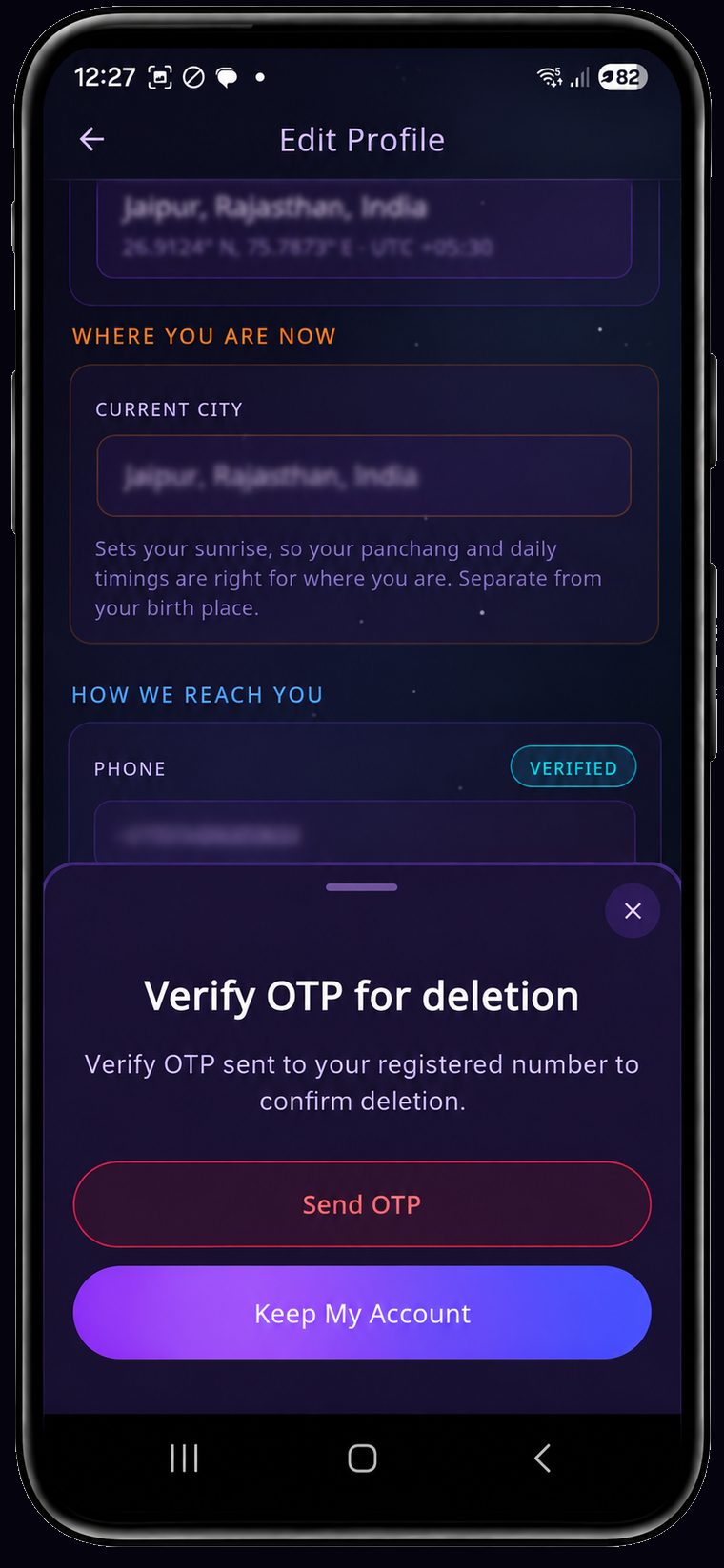
Verify OTP for deletion
All your data will be permanently lost, and won't be recoverable. Verify OTP sent to your registered number to confirm deletion.
OTP has been sent to
Deletion completed!
We have safely deleted your account data. If you change your mind, just log in within 30 days to restore your account.
This site is protected by reCAPTCHA and the Google Privacy Policy and Terms of Service apply.
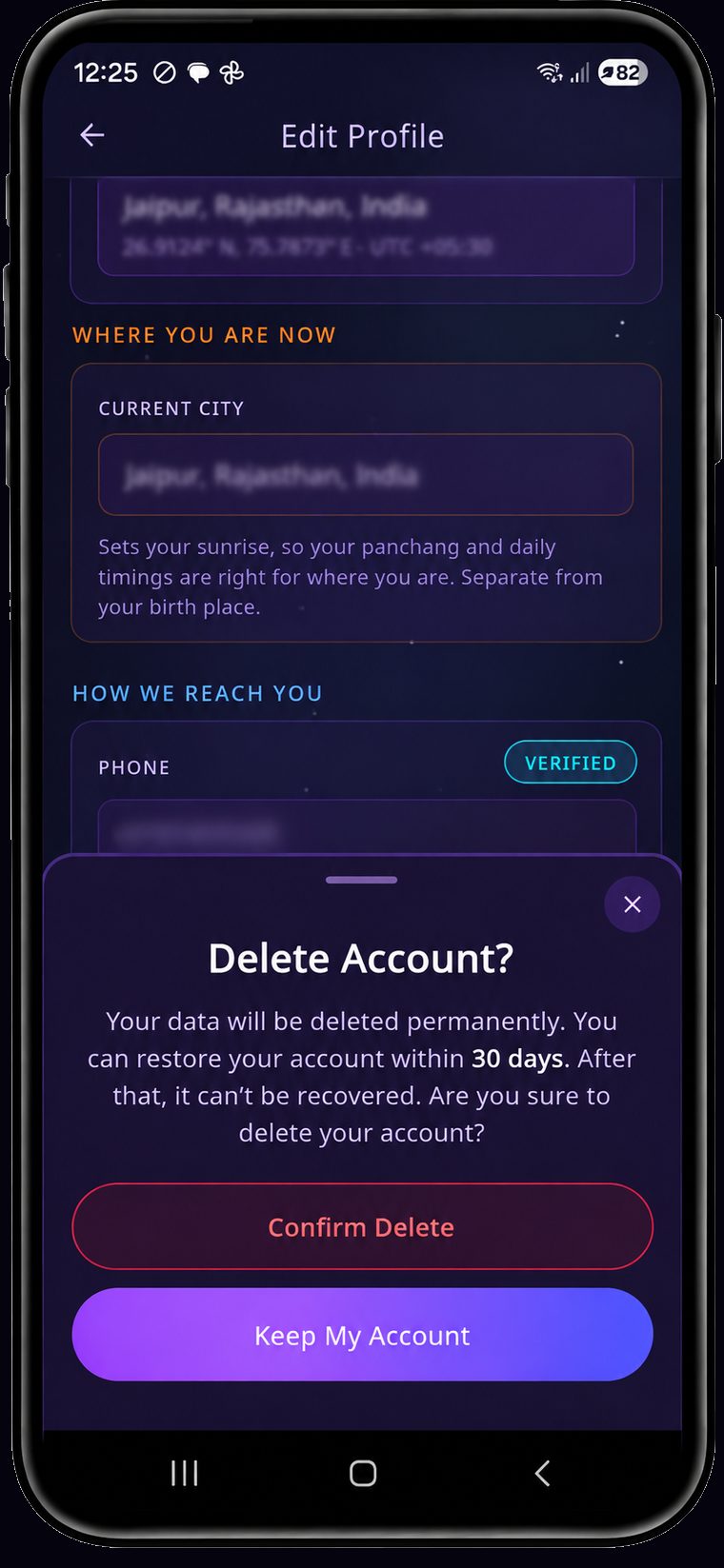
Delete Account?
Your data will be deleted permanently. You can restore your account within 30 days. After that, it can't be recovered. Are you sure to delete your account?
Tap the profile icon on Home → scroll to the bottom of Edit Profile → tap Delete account → Confirm Delete → verify the OTP.
-
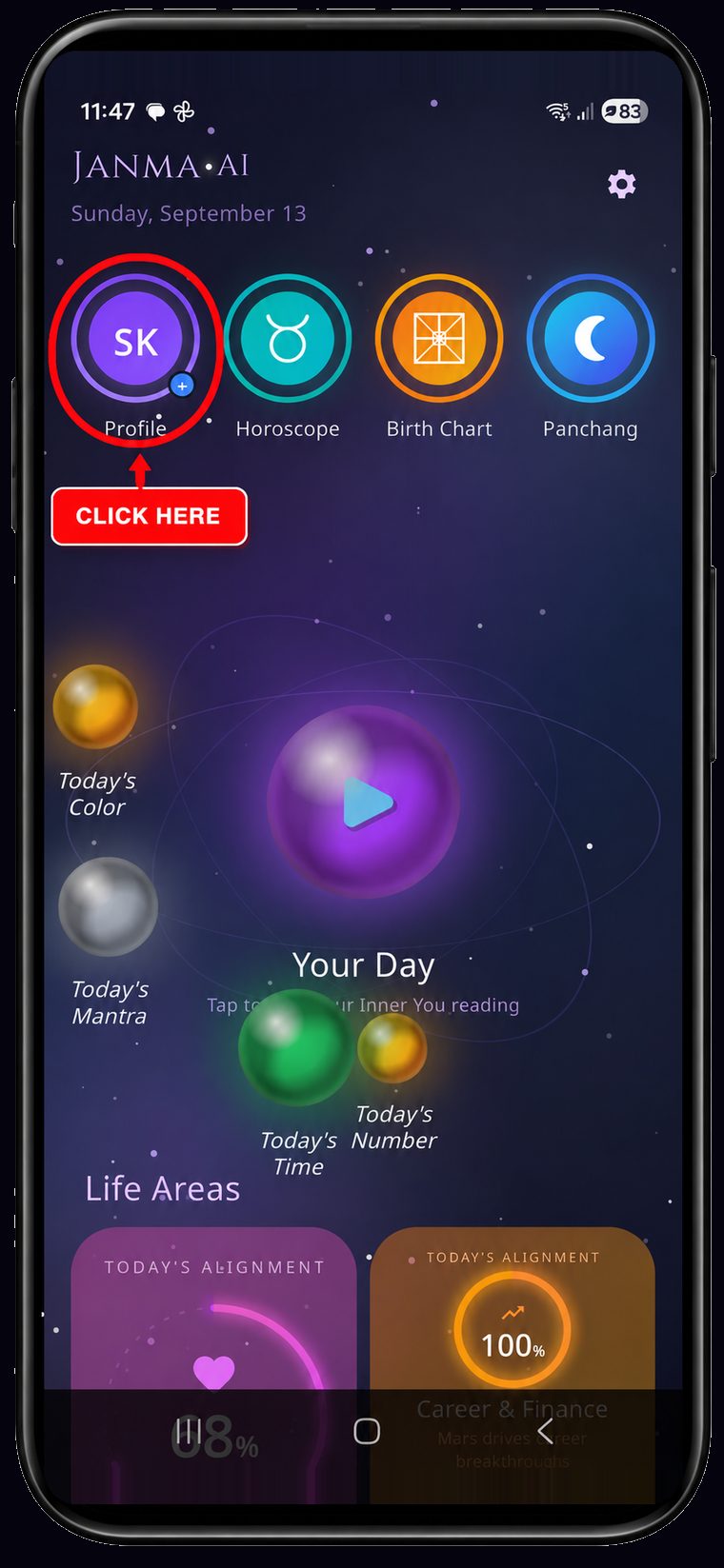
Tap the profile icon
Open your profile
From the Home screen, tap your profile circle in the top-left — the one with your initials, next to Horoscope.
-
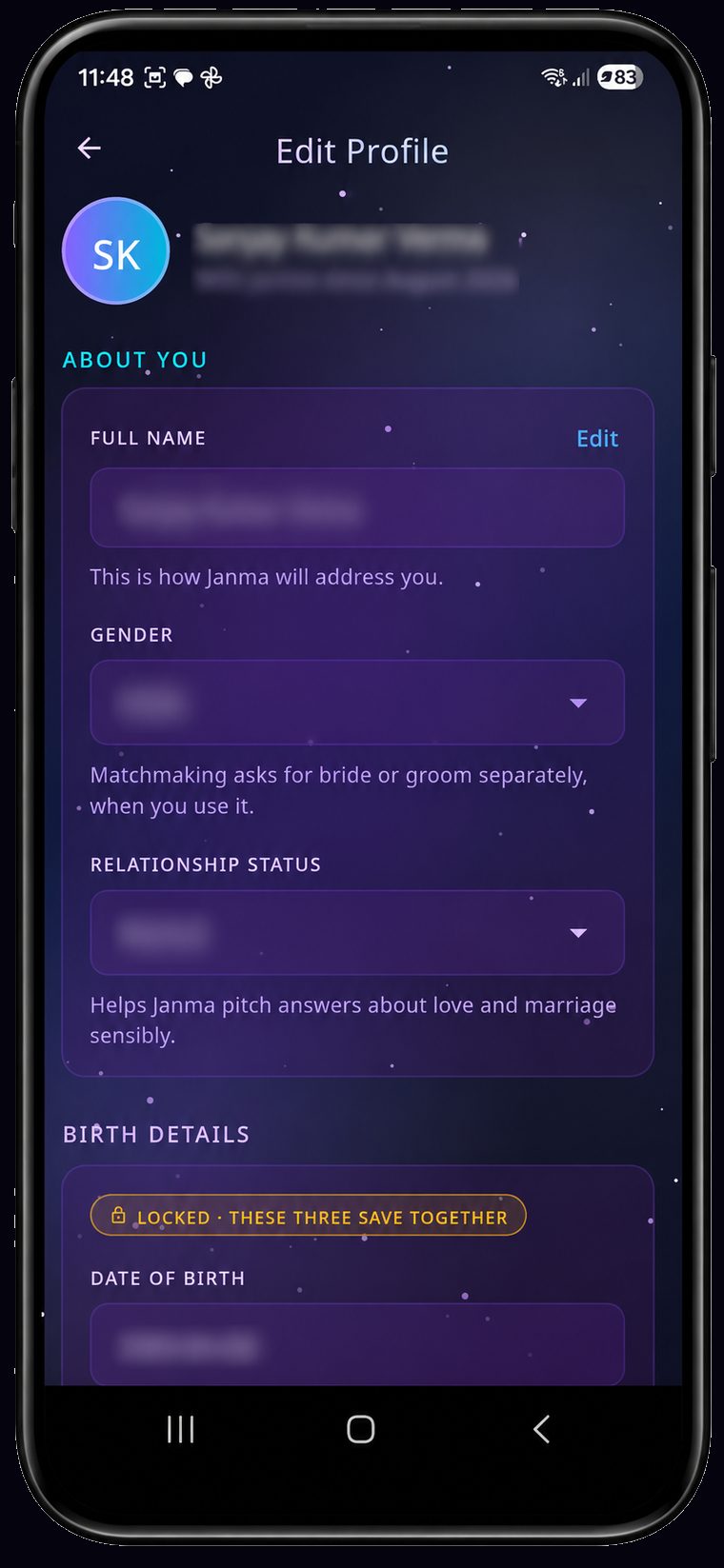
Scroll down
Go to the bottom
Your profile opens on Edit Profile. Scroll past About You, Birth Details and Where You Are Now.
-
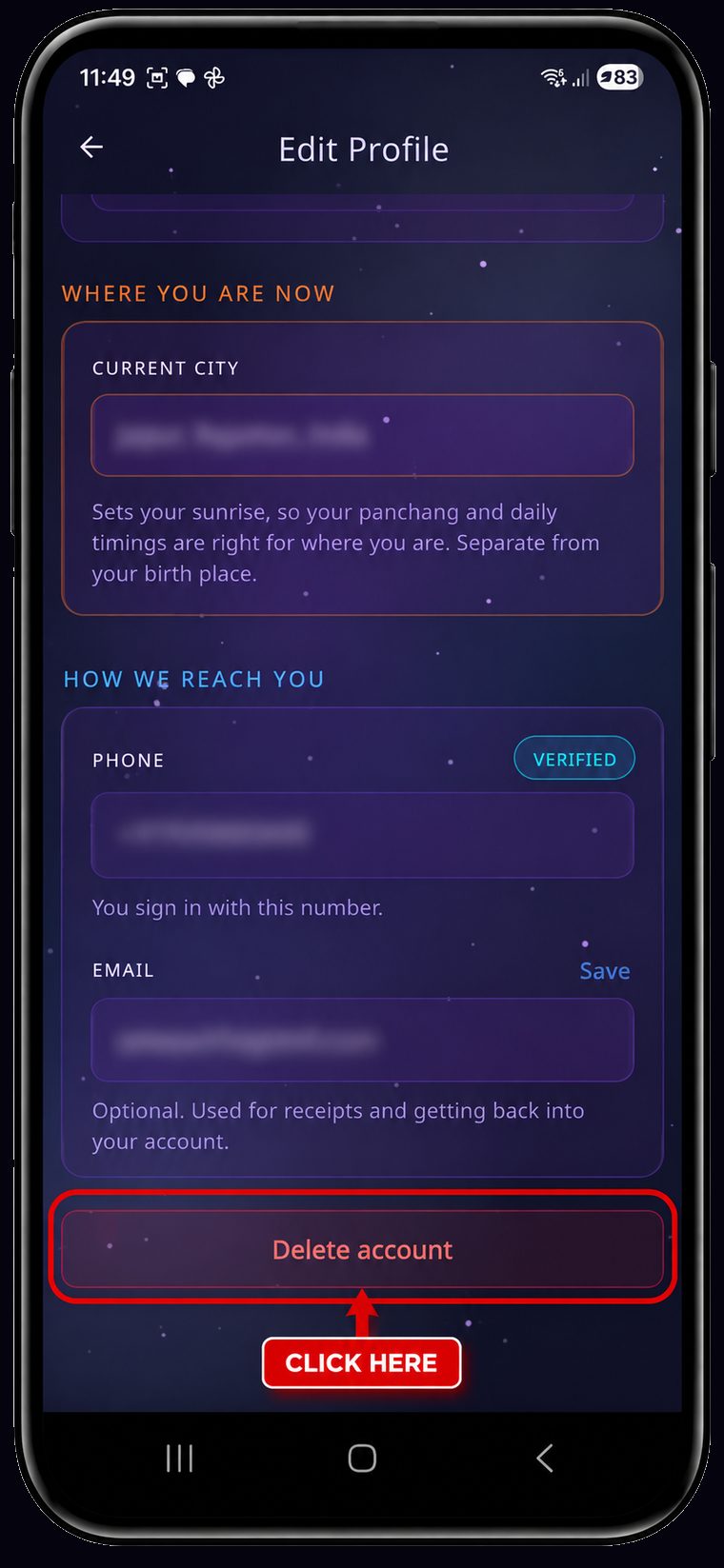
Tap Delete account
Tap Delete account
Right at the bottom, below How We Reach You, you'll find Delete account in red.
-
Confirm Delete
Confirm
A sheet explains the 30-day window. Tap Confirm Delete to go on, or Keep My Account to stop — nothing has been sent yet.
-
Verify OTP
Verify it's you
Tap Send OTP, enter the 6-digit code we send you, then tap DELETE JANMA ACCOUNT. You're signed out at once.
What happens to your data
The moment you confirm, your account is closed and you're signed out everywhere. Your data is held, untouched and unreadable to the app, for 30 days — and then permanently deleted.
After those 30 days the following are erased for good:
- Your name, phone number, email and gender
- Your date, time and place of birth — and the charts computed from them (rashi, navamsha, dashas, yogas, doshas)
- Your saved places, reminders, bookmarks and app settings
- Your daily readings, Life Area scores, chakra history and any matchmaking results you saved
- Your sign-in credentials, so the account can no longer be logged into
What stays is the astrology itself — the daily panchang, planetary transits and per-sign horoscopes. Those are computed once for everyone and are not linked to you, your name or your birth details.
Changed your mind?
Within those 30 days, simply sign in again with the same phone number. Your account and everything in it comes straight back — there's nothing else to do and no one to ask.
One thing to know: during the 30 days that number still belongs to your old account, so signing in restores it rather than starting a fresh one. If you want a clean slate on the same number, wait out the window.
After 30 days
Deletion is permanent and we cannot undo it or recover anything for you. Signing up again with the same number gives you a brand-new, empty account — you'd enter your birth details and start over from scratch.
Our encrypted database backups are kept on a rolling 14-day cycle, so a copy of your data can persist in a backup for up to 14 days after deletion before it is overwritten for good. Backups are never used to serve the app.
Can't get into the app?
If you've lost access to your phone number and can't use the form above or sign in to the app, write to support@janma.ai from the email on your account and we'll handle it for you. If you'd rather escalate, our Grievance Officer is at grievance@janma.ai.
What we collect and why is set out in full in our Privacy Policy.